MOSS Image AI is an independent browser-based image generator powered by MOSS-Image SFT for posters, menus and product labels, with no ComfyUI installation, model download or personal GPU required. Your first Standard image is free, with no sign-in, credit card or visible watermark.
A space for your next idea. Your finished image will be ready to preview and download.
Your first image is free. No credit card required.
THREE TASKS. REAL OUTPUTS.
Create a poster, a menu or a product label.
These images were generated here with MOSS-Image SFT. See what was requested, what appeared and what changed, then load the actual input to make it yours.
01 / Poster
A headline that belongs in the image.
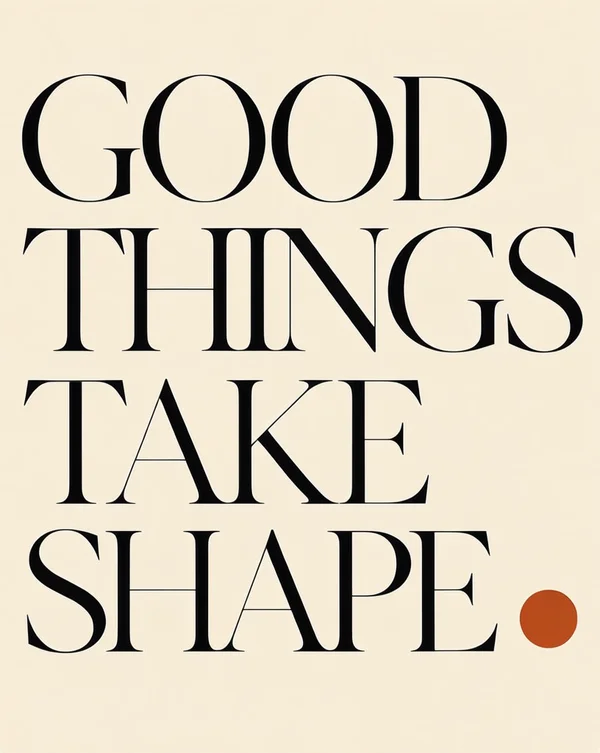
All four words appear in the requested order, one word per line; the orange circle sits beside SHAPE.
A clean flat graphic poster, warm ivory background, very large elegant black serif typography reading exactly "GOOD THINGS TAKE SHAPE" arranged in four balanced lines, a single burnt orange circle in the lower right, refined Swiss editorial composition, no other words, no mockup.
02 / Menu
Every item with its own price.
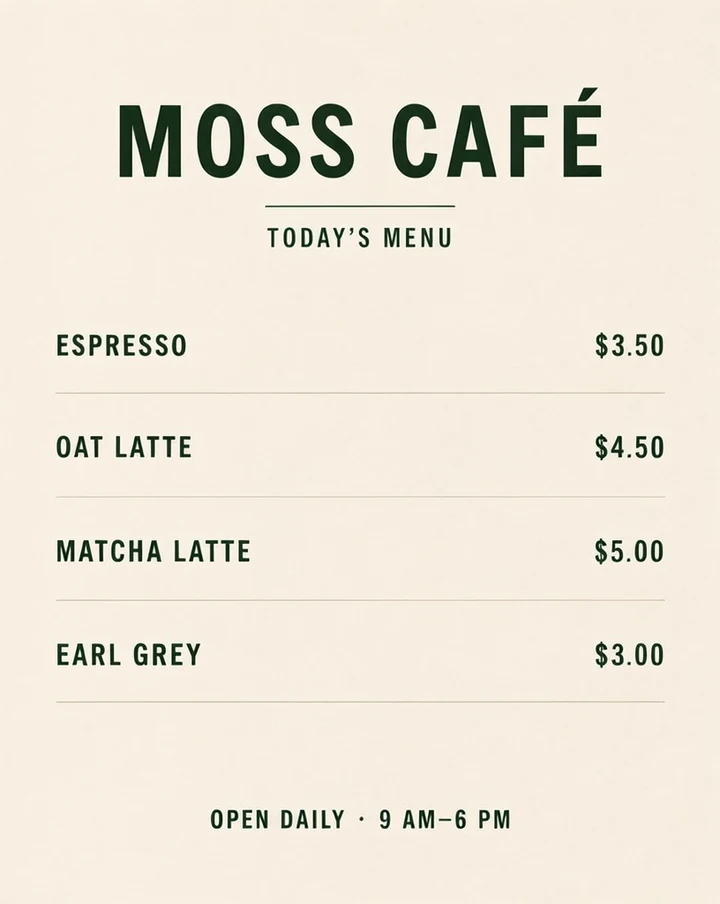
ESPRESSO $3.50, OAT LATTE $4.50, MATCHA LATTE $5.00 and EARL GREY $3.00 are readable and paired correctly. The title, subtitle and hours are visible.
A straight-on flat café menu design on warm ivory paper with dark forest green typography and generous margins. Print the exact large headline "MOSS CAFÉ" and the smaller subtitle "TODAY’S MENU". Four evenly spaced rows, item names on the left and prices aligned on the right: "ESPRESSO $3.50", "OAT LATTE $4.50", "MATCHA LATTE $5.00", "EARL GREY $3.00". At the bottom print exactly "OPEN DAILY · 9 AM–6 PM". Clear readable lettering. No additional menu items, prices or words. No perspective, no mockup, no people.
03 / Product label
Put your words on a product.
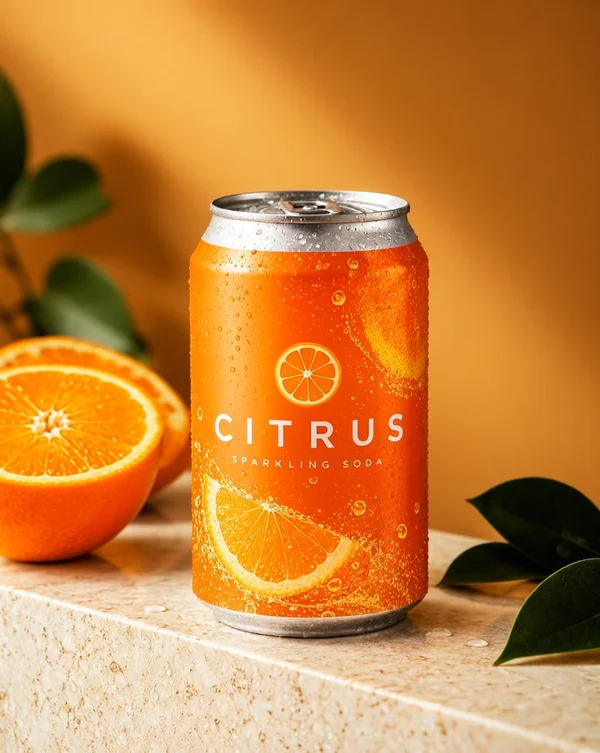
CITRUS is legible on the orange can; the fruit, leaves, droplets and warm product lighting are visible.
An orange soda can on pale travertine with orange slices, green leaves, condensation and the exact word CITRUS.
Observed
CITRUS is legible on the orange can; the fruit, leaves, droplets and warm product lighting are visible.
Differences
The model added the unrequested words “SPARKLING SODA” and orange-slice graphics on the label. This is a generated concept, not a faithful copy of an approved label.
A premium orange sparkling soda can on pale travertine, fresh orange slices and deep green leaves, tiny condensation droplets, warm amber studio backdrop, soft directional commercial product lighting. The can reads exactly "CITRUS" in clean white lettering.
The boxes show the input specification. The image is the actual generated output.
Requested
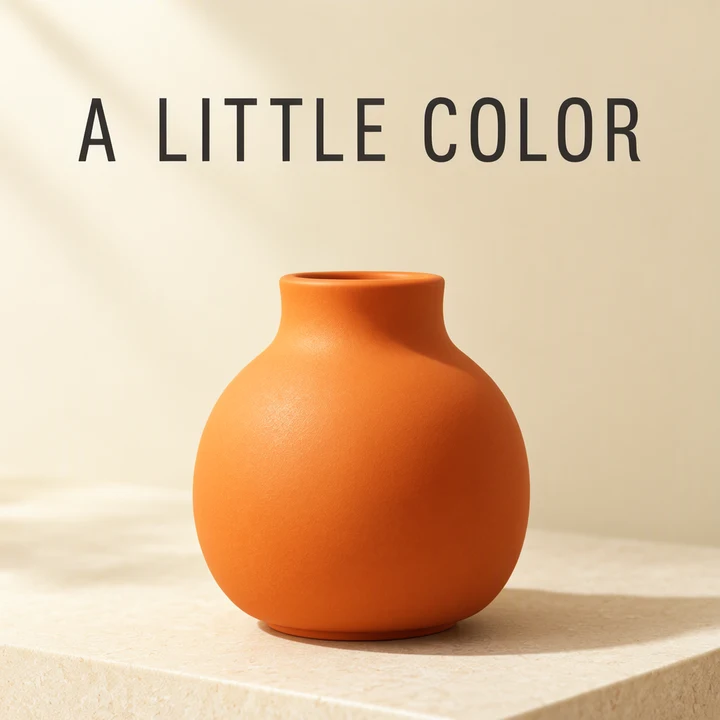
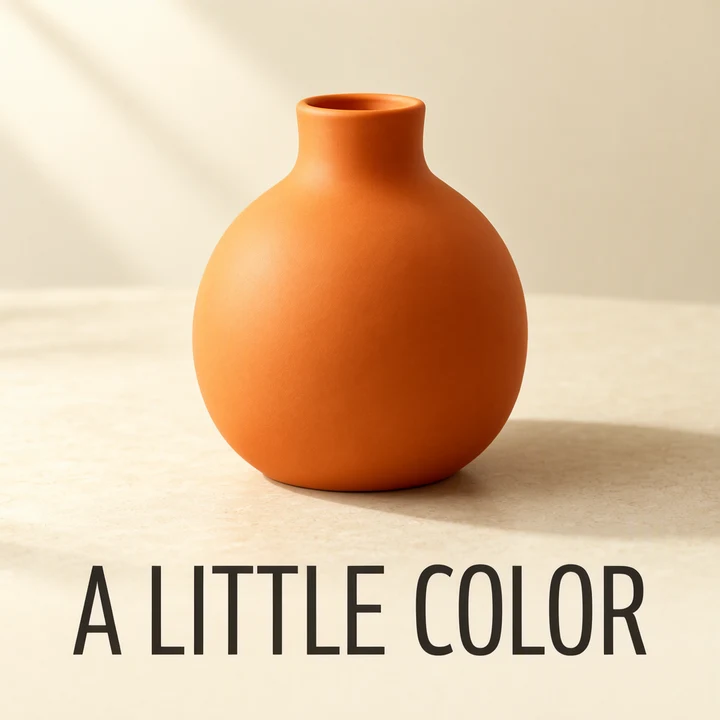
Move A LITTLE COLOR to a bottom box (y 800–960 px), and the vase to an upper object box (y 128–704 px).
Observed
The complete headline appears below the vase within the bottom text band.
Differences
The vase base extends below its object box. The neck is taller and the lighting and background shadows change; moving boxes does not preserve the rest of the image.
Original generations, without retouching or upscaling; display images are compressed. The boxes are requests, not hard boundaries. The model can change details as it interprets a new layout.
Posters, menus, labels. Your words.
Created with MOSS-Image SFT in this studio. Click an image for its input, observed result and differences. More photography and illustration are in the filters.
One workspace. More ways to create.
BeforeAfter
From a brief to a poster, menu or label.
Write the words you need, choose a composition, and generate an original image. Start from a real case and replace its headline, menu items or product label.
Make your words part of the image.
Create English and Chinese headlines, labels and posters. Describe their position or shape the composition with a JSON layout.
How to create with MOSS Image AI
From a few words to your next image.
01
Describe the scene and quote the words
Name your subject, then put the exact headline, label or menu copy in quotes.
02
Choose a composition and generate
Pick a ratio for a text prompt, or arrange text and objects in the visual layout editor.
03
Check the text, then download
Review spelling, prices, dates and placement in the full-size image before sharing.
MOSS Image AI is an independent online studio that generates images with OpenMOSS’s MOSS-Image SFT model. It accepts text prompts and JSON layouts; it is not the official model publisher.
“MOSS-Image is a text-to-image model family from OpenMOSS”
Describe the scene, put the exact words to render in quotes, and specify their position. Use a JSON layout when you need explicit text and object boxes. These input formats are documented in the OpenMOSS user guide.
01 / A SHORT BRIEF
Name the subject and words
Start with the image type and put the intended text in quotes: a cream poster reading “GOOD THINGS”, black serif type, one orange circle.
02 / A DETAILED SCENE
Describe each text block
Add the exact headline, supporting line, colors, materials and lighting. Say where each part should sit. Keep small text short and review spelling after generation.
03 / A JSON LAYOUT
Give each element a box
Open the visual layout editor to place text and objects on a 1024 × 1024 canvas. Drag and resize each region; the studio creates the JSON for you. You can also edit summary.caption and items directly.
SFT is fine-tuned from the Base checkpoint on curated data. This studio uses SFT for hosted generation; Base is available from OpenMOSS for local workflows and further training.
Checkpoint
Base
SFT
Training
Base text-to-image model
Fine-tuned from Base on curated data
Input formats
Text, tags and JSON layouts
Text, tags and JSON layouts
Available here
Local setup guide
Hosted text and layout generation
Model details: OpenMOSS project. Our hosted Standard mode uses 50 steps and guidance 3; layout prompts use a 1024 × 1024 canvas. Results can vary.
Standard 1 credit / image HD 2 credits / imageFailed generations do not use credits.
Good questions. Clear answers.
Can I try MOSS Image AI for free?
Your first Standard image is free, without a visible watermark, sign-in or credit card. The trial is limited by browser and network; failed jobs can be retried within capacity limits. Further images require a paid pack.
Which model does this studio use?
This independent studio uses MOSS-Image SFT, model moss-image-sft-1.0, through the MOSI generation API. OpenMOSS publishes the model; this site is not the official publisher.
Do I need Hugging Face, ComfyUI or my own GPU?
No. Generate in your browser without a Hugging Face account, a local model download, ComfyUI or a GPU. Google sign-in is optional for your first free image.
How do I control the layout?
Switch to Layout and open the visual editor. Add text or objects, drag their boxes, and adjust their sizes. The editor creates JSON automatically. Apply the layout, then press Generate image. It uses a 1024 × 1024 canvas; placement is approximate, so review the result.
Can I render English and Chinese words in an image?
Yes. Put the exact words in quotes in a text prompt, or enter them in a text element in the layout editor. Keep text concise and proofread spelling, characters, prices and dates before publishing.
What size and download format do I get?
Standard images have a 1024-pixel long edge. Choose 1:1, 4:5, 16:9, 9:16, 4:3 or 3:4 for text prompts; for example, 4:5 is 816 × 1024. Layout images are 1024 × 1024. Download the original PNG within 24 hours. Gallery WebP thumbnails are smaller display copies.
Does my free image have a watermark?
No visible watermark is added by this studio or requested from its generation provider for the free Standard image.
Can I upload a reference image or edit an existing photo?
This studio currently generates new images from text prompts and layouts. It does not accept reference photos, masks or image-editing requests. Reusing a prompt creates a new image.
Are my generated images private?
Your generations are not automatically published in the gallery. The gallery contains examples created by our team. User image links have a 24-hour access window; download the files you want to keep. Prompts are processed by the generation provider to produce your image. See the Privacy Policy for details.
Can I use MOSS-Image outputs commercially?
The OpenMOSS MOSS-Image-SFT model card lists an Apache 2.0 license for its weights and bundled inference code. Review the applicable model license and each result before commercial use. Model licensing does not guarantee that an output is unique or free of third-party rights.
How do MOSS Image AI credits work?
The current Standard text-to-image trial uses no paid credits. Credit rates are 1 credit per Standard image and 2 credits per HD image. Failed generations do not use credits.
Is MOSS Image AI a subscription?
No. The listed credit packs are one-time purchases without recurring charges. Starter is $4.99 for 50 credits, Creator is $14.99 for 200 credits, and Studio is $29.99 for 500 credits.
Explore more
Take your ideas from a first prompt to a local workflow.