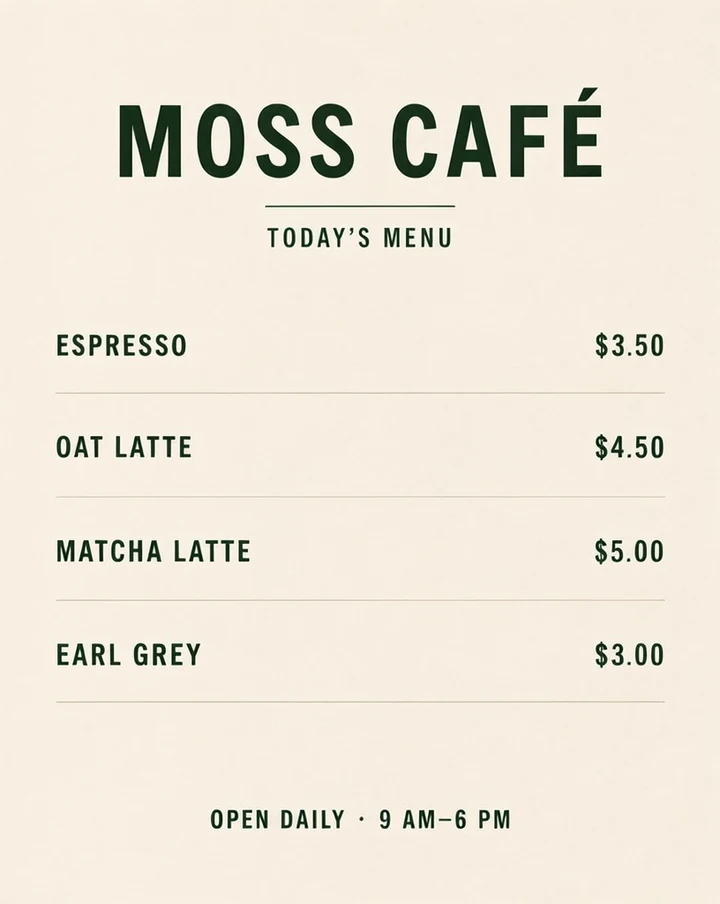
An English café menu with prices
Text prompt · 816 × 1024 px
View prompt and settings ↗WORDS, IMAGES & COMPOSITION
Make a menu image by supplying the exact dish names, prices and heading you want printed. Specify a clear reading order and enough space for each row, then proofread the generated menu against your original list.
These are selected images generated with this studio’s model service. Open a case for its original PNG, actual input and generation settings.
Text prompt · 816 × 1024 px
View prompt and settings ↗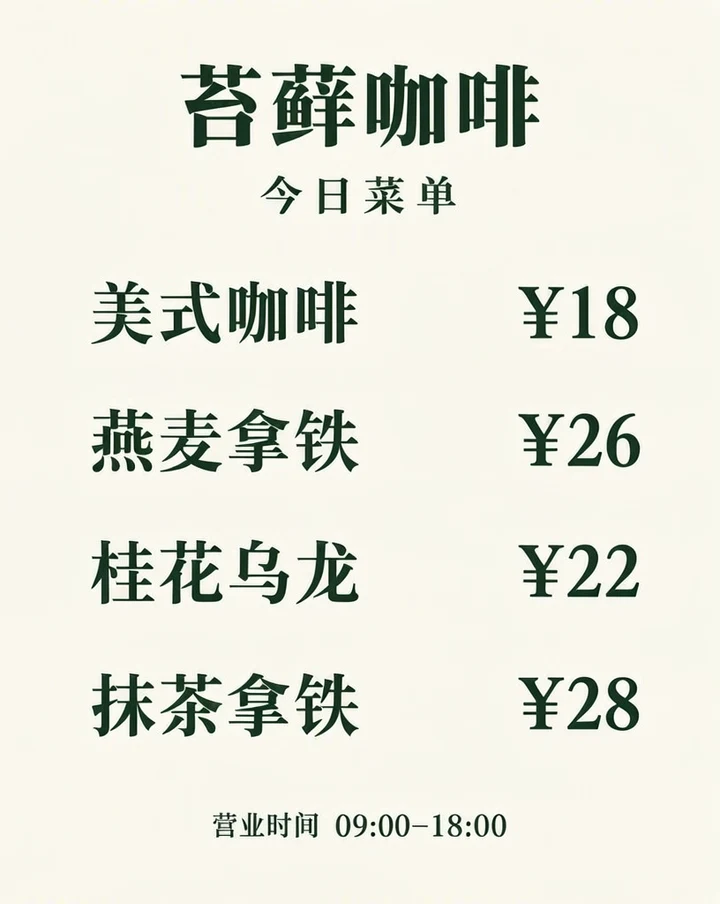
Text prompt · 816 × 1024 px
View prompt and settings ↗
Text prompt · 816 × 1024 px
View prompt and settings ↗Start with a short menu rather than a full catalogue. Give the title, each item-price pair and any opening-hours line explicitly. Keep currency symbols and decimals consistent. Describe paper, colors and lighting separately from the text.
A straight-on flat café menu design on warm ivory paper with dark forest green typography and generous margins. Print the exact large headline "MOSS CAFÉ" and the smaller subtitle "TODAY’S MENU". Four evenly spaced rows, item names on the left and prices aligned on the right: "ESPRESSO $3.50", "OAT LATTE $4.50", "MATCHA LATTE $5.00", "EARL GREY $3.00". At the bottom print exactly "OPEN DAILY · 9 AM–6 PM". Clear readable lettering. No additional menu items, prices or words. No perspective, no mockup, no people.Copy approved dish or drink names and prices into the prompt. Use one item-price pair per line. Do not ask the model to invent prices or add dishes if the menu is for a real business.
Specify a larger title, evenly spaced rows and prices aligned in one column. Request a straight-on flat design when readability matters; glare, perspective and elaborate textures can make proofing harder.
Try a few items with generous margins. For a more structured design, switch to JSON and give the title and menu sections separate text regions. Add decorative objects only after allocating space for the words.
Check item names, prices, decimal points, currency symbols and hours. A visually attractive image is not enough if one price changes. Download and use only a result you have reviewed.
The original result is the evidence for a case. A prompt describes the intended output; it does not guarantee every character or position in another generation.
Natural-language prompts describe the scene and exact words together. A JSON layout separates the scene summary from text and object items, each with a requested box. This studio’s layout mode uses a 1024 × 1024 canvas and centered [top, left, bottom, right] coordinates.
See the layout workflow for a complete JSON example, or the prompt guide for wording tips. Format references: OpenMOSS project and official user guide.
Your first Standard image is free, without a visible watermark and with no sign-in or card required. The published credit rates are 1 credit per Standard image and 2 per HD image. Review pack prices and output sizes before choosing a pack.
A prompt can specify exact prices, but generated text needs human review. Compare the final image with your source list before publishing or printing it.
Yes. The example on this page requests a Chinese title, four drinks with prices, and opening hours. Load its prompt to replace the copy with your own.
The studio generates a new image from the revised prompt; changing the prompt is not a pixel-level edit to the existing image. Update the price and generate another result.